
Service
DoorBird Repair & Technicians
Repair, programming and takeover of DoorBird systems across Los Angeles County.
Open page
Before anyone touches a setting, cut power to the DoorBird for ten seconds and stand next to it while it boots. It plays a diagnostic announcement in English that tells you exactly which layer failed. Three tones and “No Network” means it never reached your local network at all — cable, switch port or DHCP. Two tones and “No Internet” means it got an IP address but cannot reach DoorBird's servers — firewall, filter or an outage. One tone and “Successfully connected to Internet” means the device is fine and your problem is in the app, the user credentials or the relay wiring. That single test eliminates about half of the DoorBird calls we take, and almost nobody knows it exists.
DoorBird publishes a diagnostic that turns a vague complaint into a specific one. On start-up the door station plays up to three signal tones and an English voice announcement describing its connection status. Restart it, stand at the door, and write down what you hear.
| What you hear | What it means | Where the fault is |
|---|---|---|
| 3 tones — “No Network” | No connection to the local network at all. | Cable, connector, switch port, PoE source, or no DHCP address available. |
| 2 tones — “No Internet” | An IPv4 address was assigned by DHCP and the local network is reachable, but the device cannot get out. | Firewall or content filter, router usage profile, proxy, or an actual internet outage. |
| 1 tone — “Successfully connected to Internet” | The device reached the DoorBird cloud. The hardware and network are doing their job. | App, user credentials, push settings or relay wiring — not the door station. |
| Nothing at all | No boot sequence. | No power reaching the unit, or the diagnostic volume was set to “Silent” in the app's expert settings. |
The volume of those announcements is a setting (DoorBird App → Settings → Administration → Login → Expert settings → System diagnostics volume), so silence is not automatically a dead device. If someone silenced it during a dinner party three years ago, turn it back on before you conclude anything.
These are the faults that actually generate calls in Los Angeles, ordered roughly by how often we see them. The right-hand column is the honest answer about who can fix it — several of these are settings you can change yourself in ten minutes, and we would rather tell you that than sell you a truck roll.
| Symptom | Most likely cause | Who fixes it |
|---|---|---|
| App says the device is offline | DHCP, cable or PoE fault, or a firewall blocking the device's outbound connection | Boot test first; then network |
| Rings the phone, gate stays shut | Relay wiring or relay mode — DoorBird's contacts carry no power of their own | Technician |
| Notifications arrive minutes late, or not at all | Phone-side battery optimisation, Low Data Mode, or push registration that has gone stale | You, in phone settings |
| “Wrong authentication data” when adding a user | The factory app user was changed or deleted by whoever set it up | Whoever holds admin access |
| Live view works on Wi-Fi at home, not on cellular | Device is reachable on the LAN but not from outside — an outbound path is blocked | Network |
| Video in the app is fine, the NVR or touchscreen feed drops | Two systems competing for the door station's single video stream | Integrator |
| Drops out for hours, then returns | Wi-Fi model on a mesh network, or a managed switch running spanning tree on that port | Network |
| Faces unrecognisable at the door | Mounting height and the 180° hemispheric lens, not a broken camera | Technician |
| Nobody has the login | Digital Passport lost with the original installer or the previous owner | Documented recovery — see below |
| Android plays the wrong ringtone | App storage state; DoorBird publishes a reinstall sequence for it | You |
This is the call we get most often, and the cause is almost always the same misunderstanding. DoorBird states it plainly in its own door-opener documentation: DoorBird products do not offer any power on the relay contacts. The relay is a dry switch. Any electric door opener attached to it must have its own power supply, and that supply must operate at a maximum of 24 volts and 1 amp. If your installer wired the strike directly to the relay expecting the door station to energise it, nothing will ever happen except a click.
The second cause is the relay mode not matching the lock type. The two behave in opposite directions:
| Lock type | Behaviour | Relay configuration | Field test |
|---|---|---|---|
| Electric strike (fail-locked, normally open) | Locked without power; opens when powered. | Mode “default”, default position open, duration set to the release time. | AC-operated openers buzz when triggered; DC-operated ones do not. |
| Holding magnet / maglock (fail-unlocked, normally closed) | Locked when powered; opens when power is cut. | Mode “default”, default position closed, duration set to the release time. | A maglock that never releases is usually configured as a strike. |
A third trap catches integrators rather than homeowners. On the D10x, D11x, D20x and D21x series, the external door-opener button input triggers the first relay only — that is not configurable. If someone wired an exit button expecting it to fire relay 2, it will never work no matter what the app says. On the D41x series any relay can be triggered, and on any model the relays can be expanded or moved off the door station entirely using a DoorBird I/O door controller, which is the correct answer when the release device is more than a small strike.
If the release device is a maglock or a driveway gate operator rather than a small strike, the conversation stops being about the intercom and starts being about egress, release on alarm and who inspects it. That belongs in the access control code and permit planning guide, not in a doorbell setting.
DoorBird devices open an encrypted connection outbound to *.doorbird.net, and the manufacturer states they require a direct internet connection on ports 80 and 443. The detail that breaks installs: some of that encrypted traffic runs on port 80. A well-meant firewall rule that allows only HTTPS, or a transparent HTTP proxy, will take the device offline while every other device on the network stays up. The datasheet is equally blunt about two other conditions — the network must run DHCP, and there must be no SOCKS or proxy server in the path.
Managed switches cause a fault that looks like a hardware failure and is not. DoorBird publishes specific guidance: on Cisco and Dell PowerEdge switches, enable PortFast and/or disable STP recognition on that port, and on Linksys managed switches use Rapid Spanning Tree rather than classic STP. Without it, the device may fail to reconnect after a routine restart — so it works fine until the day of a power blip and then never comes back. SSL VPN appliances are the other repeat offender: an added SSL inspection layer can block the device's certificate verification, and the DoorBird needs to be excluded from it.
If the intercom works on your home Wi-Fi but not on cellular, or works remotely but not on the LAN, the split is usually network segmentation. Check that neither the door station nor the phone is sitting on a guest network with client isolation enabled, and that the router's usage profile for that device is not restricted by a parental or web filter.
DoorBird runs a public online check that reports whether the device has reached its cloud — but it asks for the MAC address and the token, both of which are printed on the Digital Passport. If nobody has that document you cannot run the manufacturer's own basic test. That is the real cost of a lost passport, and it is covered further down.
If the boot test says the device reached the internet, the door station is not your problem. Work through the phone side in this order.
A different failure mode reads as a notification problem but is a credentials problem. If the device is online yet the app reports “wrong authentication data” when you add it, DoorBird's own diagnosis is that 99% of the time the pre-configured app user has been changed or removed. Someone with administrator access has to create a new user — and there is a shortcut worth knowing: use the app's email or PDF function when creating that user and it generates a fresh QR code, which is far more reliable than typing a password onto a phone.
Household scale matters too. A DoorBird supports up to eight mobile devices or indoor stations per call button in parallel, and everyone is notified simultaneously — there is no ring-one-then-the-next sequence. A large household that keeps adding phones will eventually hit that ceiling.
Start with a fact that ends a lot of arguments: the D21x series has no wireless interface. DoorBird lists that among the reasons a device cannot join an access point. If a D21x is described as being “on Wi-Fi”, it is really on a bridge or extender someone installed, and that device is the thing dropping out. On the models that do have Wi-Fi it is 2.4 GHz b/g/n only, with WPA2 — not WPA — and the manufacturer's position is unambiguous: a hard-wired connection is recommended because it is almost maintenance-free by comparison.
Where Wi-Fi has to be used, the published stability settings are specific and rarely applied: the door station does not use any mesh standards, so give it a dedicated access point with its own SSID close to the door and turn mesh off for it; set the channel width to 20 MHz rather than 40 MHz and disable channel bundling; turn off automatic channel selection so the AP cannot move the network out from under it; and disable any eco or green mode that reduces transmit power or switches Wi-Fi off overnight. Ubiquiti UniFi access points get a specific mention from DoorBird — they have been observed choosing a poor channel after a firmware update. One more setup trap: the device cannot verify the Wi-Fi password while you type it, so a single wrong character shows up later as “No Network” after the reboot, with no error to explain it.
For Los Angeles properties, the practical problem is usually distance rather than radio. A driveway gate a hundred feet from the house, a detached guest house, a hillside lot with the entry below the residence — these are cable questions.
That bell-wire converter is the single most useful accessory on a retrofit. Most older LA properties already have a two-conductor run to the gate for the original chime; rather than trenching a new path, that pair can carry Ethernet and PoE up to roughly 80 metres. It is also why “we can't get a camera to the gate” is often untrue — see the structured cabling page for how the rest of the path is built.
Here is the constraint that explains a whole category of “intermittent” complaints in integrated homes, printed in DoorBird's own datasheet: simultaneous video streams — one, for event-based and continuous recording. One stream. If an NVR is pulling a continuous feed for recording, that is the stream. Add a Control4 touchscreen or a second recorder asking for video at the same moment and something has to lose, which presents to the homeowner as a door station that “works sometimes”. It is not a fault. It is a design decision that someone made without reading the line.
The fix is architectural rather than electrical: decide what owns the stream, use event-based rather than continuous recording where the recorder only needs the doorbell moment, and put anything that needs constant video onto a dedicated camera instead of the door station. If you want continuous coverage of the entry, the honest answer is that a door station is not a surveillance camera — pair it with one, which is what the CCTV and security camera installation page covers.
While we are dismantling expectations: the D2101V camera is HDTV 720p behind a 180-degree hemispheric lens, and DoorBird recommends the lens sit at a minimum height of 145 cm, about 57 inches. Mounted too high it looks down at the tops of heads; mounted at a normal doorbell height it does what it was designed to do. A face that is unrecognisable in the corner of a 180-degree frame is optics, not a defect, and no firmware update will change it.
Every DoorBird ships with a document called the Digital Passport. It carries the MAC address, a token, and QR codes for the factory administrator account and one pre-configured app user. Lose it and you lose administration of the device — you cannot add users, change relay behaviour, or even run the manufacturer's online status check, which asks for the MAC and token together. In Los Angeles we see this constantly: the original integrator kept the passport, went out of business, and the homeowner has an expensive door station they cannot administer.
The good news is that the recovery path is documented and does not require the old credentials. DoorBird supports two resets from within the app under “Password / Factory Reset”: a password reset when you have lost access data, and a full factory reset that clears every setting and user. Neither asks you to log in first. The conditions are strict and worth knowing before someone starts:
There is one situation the reset does not solve: a previous owner's email address still attached to the device. DoorBird's US support will remove it, but the process is deliberately strict, and it is worth gathering the paperwork before you start rather than discovering the requirement halfway through. They ask for proof of identity — a copy of an ID or passport — plus proof of ownership, either a notarised purchase agreement showing the transfer or the original purchase invoice together with a document confirming the transfer to you. On top of that they ask for two photographs: the door station on the house, ideally with the house number in the same frame, and the silver sticker on the back of the unit showing model and serial number. Documents go through a secure upload link rather than email, are deleted after 30 days, and the request is refused if any of the three points is incomplete.
Practical advice from doing this repeatedly: photograph the silver sticker on the back of the door station before it goes back on the wall, and store the Digital Passport PDF somewhere that survives a change of contractor. The MAC on that sticker is what lets you match a device to its paperwork later. If your problem is broader than one intercom — a whole system left half-programmed when the installer disappeared — that is the system takeover conversation.
We are an independent, licensed Los Angeles low-voltage contractor that services DoorBird systems — not DoorBird's support desk, and we will say so when an issue belongs with the manufacturer or with your internet provider. A visit typically covers the boot diagnostic and power path, PoE and cable testing to the door station, DHCP and firewall verification, relay and release-device wiring corrected to the lock type actually installed, user and push re-provisioning across the household's phones, firmware, and integration back into whatever automation or recording system the property runs.
Before that, send a photo. A picture of the door station, a picture of whatever the cable lands on inside, and a short video of what happens when you press the button will usually tell us whether you are looking at a setting, a part or a redesign — and we would rather tell you it is a five-minute setting than bill you for finding that out. Text it to (805) 517-4668 or email info@innov8av.com.
Two things we will not do. We will not tell you the unit is dead in order to sell you a new one; DoorBird hardware is IP65 and IK08 rated with an operating range of −25 to +55 °C, so in this climate the enclosure is rarely the problem. And we will not quote the repair sight-unseen, because the difference between a relay setting and a failed cable run under a driveway is the entire price of the job.
Verify anyone you let near an entry system, including us. Ask for the licence classification and number in writing and check it yourself. Innov8av holds California C-10 Electrical CSLB #1043428 and BSIS Alarm Company Operator ACO 7755, has operated since 2016, holds a BBB A+ rating and 5.0/5 across 22 verified reviews on Reviews.io. DoorBird's own installation documentation asks that only qualified personnel carry out the work — that request is there because the release side of an intercom is wired, not plugged in.
Restart it and listen to the boot announcement first: three tones and “No Network” means it never reached your local network, two tones and “No Internet” means it has an IP address but cannot get out, and one tone means the device is fine and the problem is elsewhere. The network causes we find most often are a DHCP pool that cannot issue an address, a firewall or transparent proxy blocking the device's outbound connection to *.doorbird.net on ports 80 and 443 — some of that encrypted traffic runs on port 80, so an HTTPS-only rule breaks it — and managed switches running spanning tree, where DoorBird advises enabling PortFast on Cisco and Dell PowerEdge switches so the device reconnects after a restart.
Almost always the relay. DoorBird states that its products do not supply any power on the relay contacts, so the electric strike, maglock or gate operator must have its own separate supply operating at a maximum of 24 volts and 1 amp. The second cause is the relay mode not matching the lock: an electric strike is fail-locked and needs the relay's default position set to open, while a holding magnet is fail-unlocked and needs it set to closed. A quick field test — AC-operated door openers buzz when triggered and DC-operated ones do not. One more trap on the D1x and D2x series: the external door-opener button input triggers the first relay only and cannot be reassigned.
If the boot test says the device reached the internet, the fault is on the phone. DoorBird publishes a re-registration sequence: open the registered user in the app settings, turn the doorbell push slider off, go back and save, open live view, wait ten seconds, then re-enable and save. On iPhone, check that the app has iOS “Local Network” permission and that Low Data Mode is off. On Android, the manufacturer names power management as the main cause and publishes per-brand steps for Huawei, Xiaomi, OnePlus, OPPO and Samsung — look at battery optimisation and autostart. Note also that a DoorBird supports up to eight phones or indoor stations per call button and rings them all simultaneously; there is no sequential ring.
Yes, and no old credentials are needed. The DoorBird app offers a password reset and a full factory reset under “Password / Factory Reset”. The device has to be online via network cable during the procedure, your phone has to be on the same network, and you must leave the unit untouched for 15 minutes afterwards while the firmware reinstalls. You receive a new Digital Passport at the end. If a previous owner's email address is still on the device, DoorBird's US support can remove it but requires proof of identity, proof of ownership — a notarised purchase agreement or the original invoice plus a transfer document — and two photos, one of the door station on the house and one of the silver sticker on the back showing model and serial.
Not without planning for it. The datasheet specifies one simultaneous video stream, used for both event-based and continuous recording. If a recorder holds a continuous feed, that is the stream, and a touchscreen or second system asking for video at the same time is what produces the “works sometimes” complaint. The fix is to decide what owns the stream, use event-based recording where only the doorbell moment matters, and put anything needing continuous coverage of the entry on a dedicated camera rather than the door station.
Often it should not, and on some models it cannot. The D21x series has no wireless interface at all, so a D21x described as being on Wi-Fi is really running through a bridge that is itself the weak point. Models with Wi-Fi are 2.4 GHz b/g/n with WPA2 only, and DoorBird recommends a hard-wired connection as almost maintenance-free by comparison. If you must use Wi-Fi, give the device its own access point and SSID nearby, disable mesh for it because it uses no mesh standards, set 20 MHz channel width, and turn off automatic channel selection. For a gate run, a Cat 5 or better cable carrying PoE is the durable answer, and where only old bell wire exists, DoorBird's 2-wire Ethernet PoE converter carries data and power up to about 80 metres on that pair.
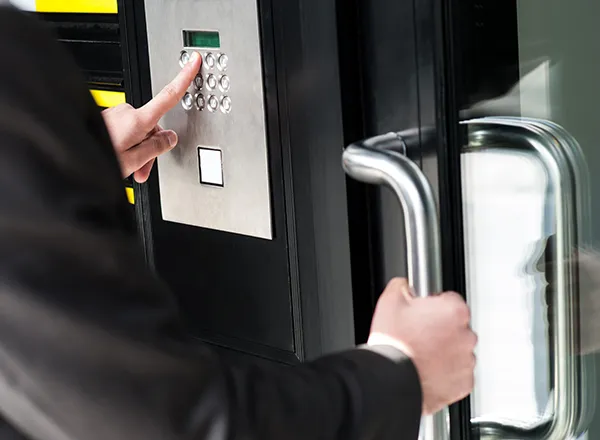


Restart it and listen to the boot announcement first: three tones and “No Network” means it never reached your local network, two tones and “No Internet” means it has an IP address but cannot get out, and one tone means the device is fine and the problem is elsewhere. The network causes we find most often are a DHCP pool that cannot issue an address, a firewall or transparent proxy blocking the device's outbound connection to *.doorbird.net on ports 80 and 443 — some of that encrypted traffic runs on port 80, so an HTTPS-only rule breaks it — and managed switches running spanning tree, where DoorBird advises enabling PortFast on Cisco and Dell PowerEdge switches so the device reconnects after a restart.
Almost always the relay. DoorBird states that its products do not supply any power on the relay contacts, so the electric strike, maglock or gate operator must have its own separate supply operating at a maximum of 24 volts and 1 amp. The second cause is the relay mode not matching the lock: an electric strike is fail-locked and needs the relay's default position set to open, while a holding magnet is fail-unlocked and needs it set to closed. A quick field test — AC-operated door openers buzz when triggered and DC-operated ones do not. One more trap on the D1x and D2x series: the external door-opener button input triggers the first relay only and cannot be reassigned.
If the boot test says the device reached the internet, the fault is on the phone. DoorBird publishes a re-registration sequence: open the registered user in the app settings, turn the doorbell push slider off, go back and save, open live view, wait ten seconds, then re-enable and save. On iPhone, check that the app has iOS “Local Network” permission and that Low Data Mode is off. On Android, the manufacturer names power management as the main cause and publishes per-brand steps for Huawei, Xiaomi, OnePlus, OPPO and Samsung — look at battery optimisation and autostart. Note also that a DoorBird supports up to eight phones or indoor stations per call button and rings them all simultaneously; there is no sequential ring.
Yes, and no old credentials are needed. The DoorBird app offers a password reset and a full factory reset under “Password / Factory Reset”. The device has to be online via network cable during the procedure, your phone has to be on the same network, and you must leave the unit untouched for 15 minutes afterwards while the firmware reinstalls. You receive a new Digital Passport at the end. If a previous owner's email address is still on the device, DoorBird's US support can remove it but requires proof of identity, proof of ownership — a notarised purchase agreement or the original invoice plus a transfer document — and two photos, one of the door station on the house and one of the silver sticker on the back showing model and serial.
Not without planning for it. The datasheet specifies one simultaneous video stream, used for both event-based and continuous recording. If a recorder holds a continuous feed, that is the stream, and a touchscreen or second system asking for video at the same time is what produces the “works sometimes” complaint. The fix is to decide what owns the stream, use event-based recording where only the doorbell moment matters, and put anything needing continuous coverage of the entry on a dedicated camera rather than the door station.
Often it should not, and on some models it cannot. The D21x series has no wireless interface at all, so a D21x described as being on Wi-Fi is really running through a bridge that is itself the weak point. Models with Wi-Fi are 2.4 GHz b/g/n with WPA2 only, and DoorBird recommends a hard-wired connection as almost maintenance-free by comparison. If you must use Wi-Fi, give the device its own access point and SSID nearby, disable mesh for it because it uses no mesh standards, set 20 MHz channel width, and turn off automatic channel selection. For a gate run, a Cat 5 or better cable carrying PoE is the durable answer, and where only old bell wire exists, DoorBird's 2-wire Ethernet PoE converter carries data and power up to about 80 metres on that pair.